4 / 15
Glass Lab
The project
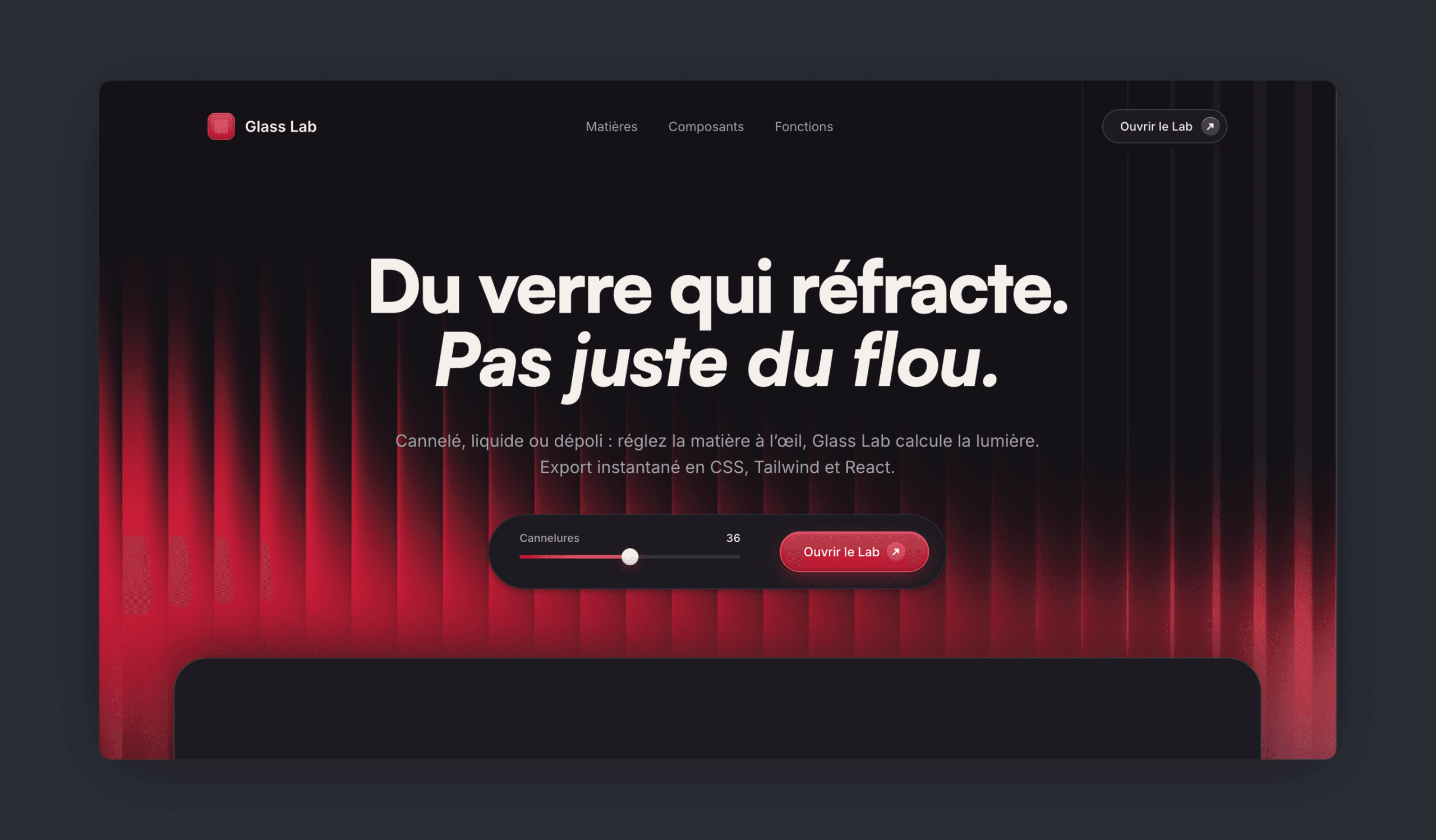
Most online "glassmorphism" generators date back to 2021 and boil down to a transparent white layer under a simple backdrop-filter: blur(10px). Yet modern interfaces — from Apple visionOS to refined Swiss editorial designs — rely on much more physical optics: light-ray refraction, zenithal highlights, chromatic dispersion along edges, and micro-relief.
Glass Lab was created to bridge this gap. The goal: build an interactive studio where materials are sculpted by eye (fluted, liquid, or frosted glass), where light is computed in real time across the scene, and from which production-ready code can be extracted instantly.
- physical materials: fluted, liquid, and frosted
- 3
- shared WebGL2 engine powering the whole page
- 1
- export formats: vanilla CSS, Tailwind v4, and React
- 3
- on-demand rendering, smooth scroll with zero GPU loop
- 60 fps
From Figma shader to WebGL2
The Figma mockups relied on the experimental "Pattern refraction" shader. Because it was non-exportable to production web environments — restricted to WebGPU and an experimental Chrome flag —, I rewrote the optical computation from scratch in GLSL WebGL2. The shader computes surface normals, samples 36 refraction rays per pixel, and handles RGB chromatic dispersion with edge antialiasing.
In the hero, the action slider directly drives the geometry of the glass: each notch recalculates fluting width live over a two-tone light path. The slider handle is driven by springs in requestAnimationFrame with magnetic snapping across 7 predefined notches, pairing tactile feel with native keyboard accessibility.
On-demand rendering & shared engine
With up to seven glass surfaces spread across the landing page, spawning multiple WebGL contexts would have exhausted browser GPU limits. I designed a single shared WebGL2 engine that renders offscreen in a virtual canvas before copying pixels to each target 2D canvas.
No continuous render loop runs in the background: shaders execute only as a surface approaches the viewport (via IntersectionObserver) or when a parameter changes. Once painted, the texture is static and scrolling (Lenis) glides at 60 fps without lingering GPU strain.
Glass on the web shouldn't be a flat blur filter, but a material that physically reacts to the geometry beneath it.
Deconstructing the material and exporting
The landing page deconstructs glass interactively. Section 2 pins a panel that peels the sheet into four successive layers as the user scrolls: backdrop, optical blur, refraction with glow, and specular bevel. A test sphere illustrates the lens distortion beneath each layer.
Section 3 showcases the three materials across a Bento of realistic interfaces (liquid glass toggles, fluted browser window, frosted notification cards). Finally, Section 4 translates visual settings into production-ready code: vanilla CSS with data-URI SVG filters, Tailwind CSS v4 utility classes, or standalone React components.
Accessibility & graceful degradation
On tablets and mobile devices where real-time WebGL would hurt battery life and performance, a lightweight mode takes over: textures are precomputed at build time and cross-faded on value changes. The site strictly respects user preferences: if reduced transparency or reduced motion is enabled, glass turns opaque and spring animations flatten out.
Credits
- Art direction & UI/UX design
- William Ulses
- Front-end development & GLSL shaders
- William Ulses
- Typography
- Satoshi (Fontshare) & Inter
- Production
- Laboratoire créatif (Projet 52)